Inventory
The main module of the plugin, providing networked inventories, items, and extensible data & behavior.
1. Architecture
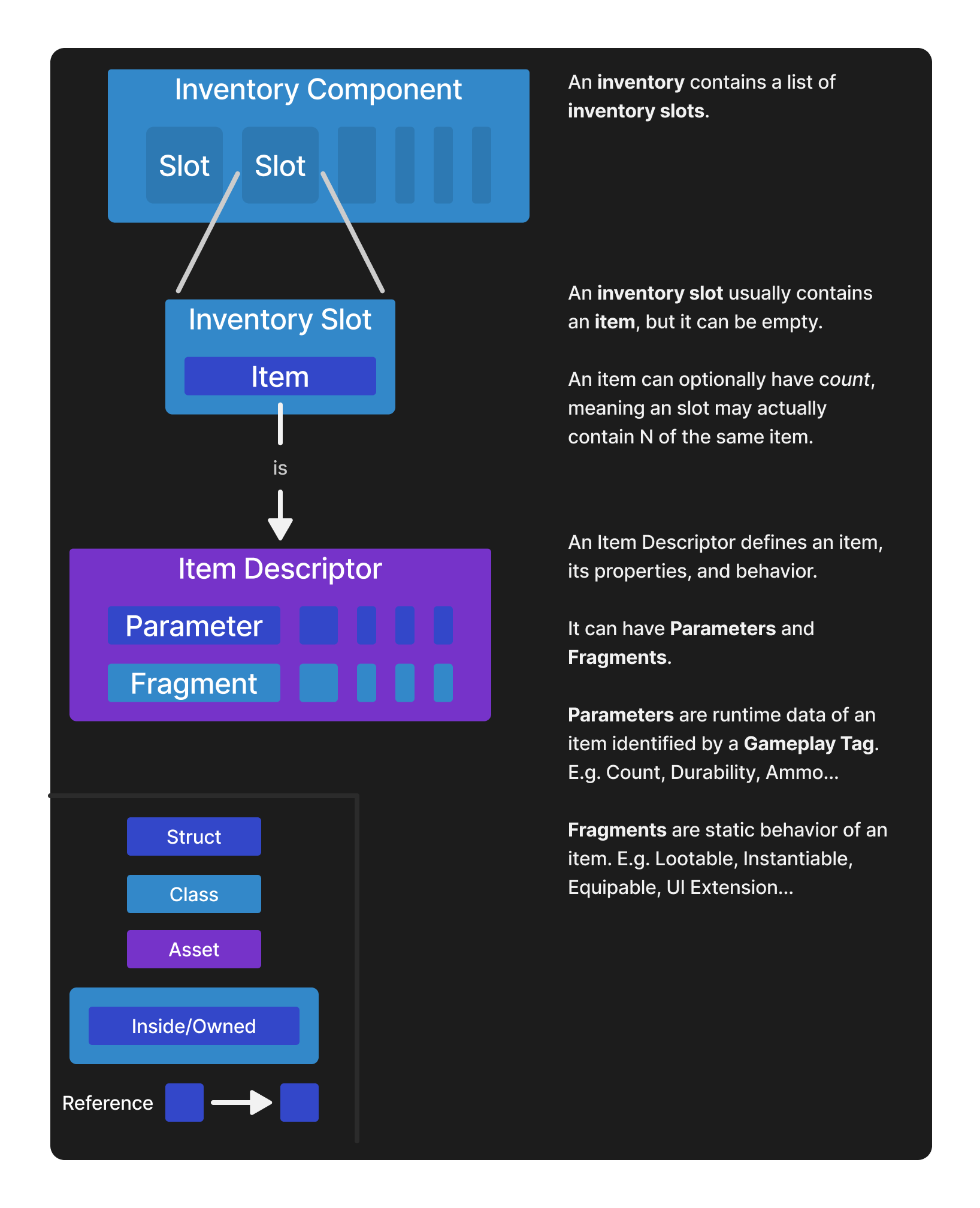
Items follow a hierarchical relationship:
Item Descriptor (Asset) -> Item (Struct)
Item Descriptor
UIEItemDescriptor – Data Asset
Item descriptors define an item statically, as an inmutable asset. Items are made modular using Fragments to reuse logic, and Parameters for runtime data.
The two most defining elements of a descriptor are Fragments and Parameters:
Item Fragment
UIEItemFragment – UObject – Inside a Descriptor
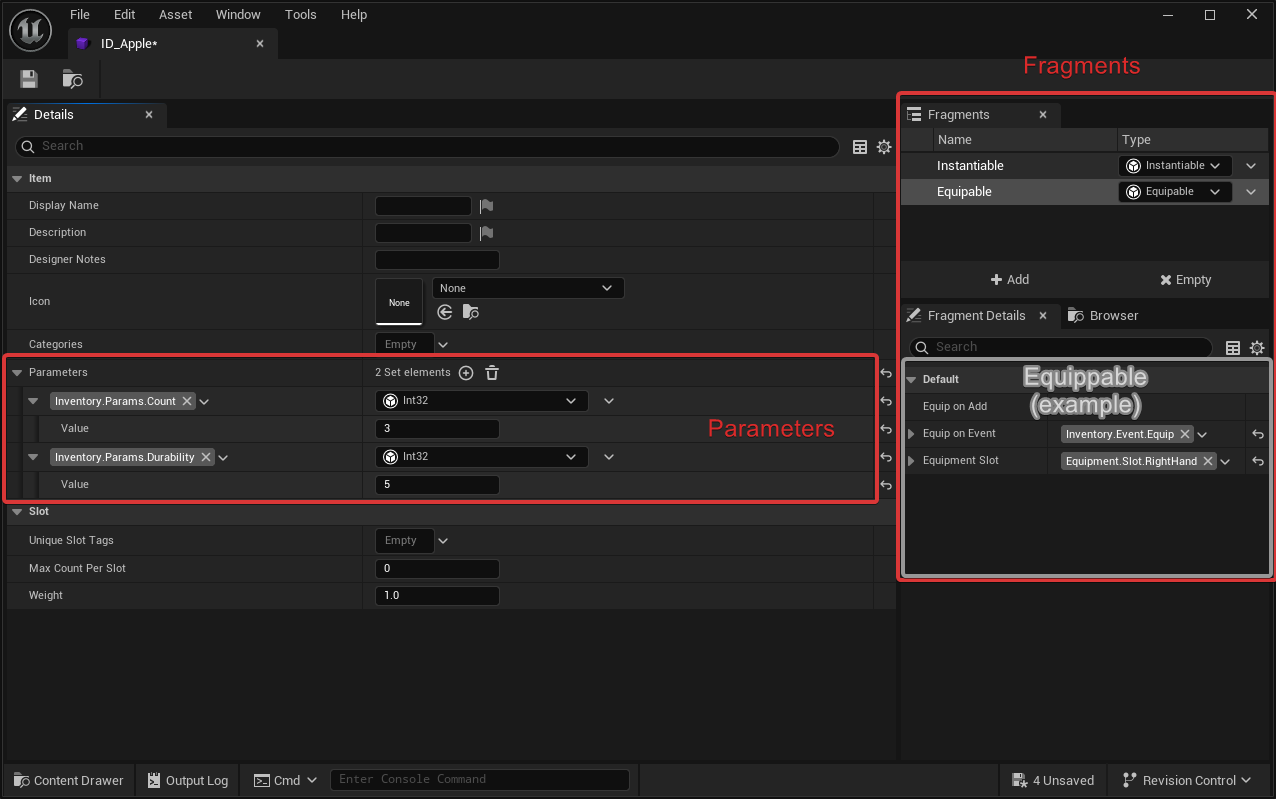
An Item Descriptor can have one or more Fragments that define the capabilities of the item. Usually you want one unique fragment per item descriptor (e.g An Item can only have one “Equippable” fragment), but multiple of the same are allowed too (e.g you may show two widgets when an item is equipped).
Item Fragments are blueprintable and can be scripted both in C++ and blueprints.
The plugin does provide some fragments out of the box:
- Instantiable: Can this item be “physically” in the world? How should it look?
- UIExtension: (Inside UIExtension integration plugin) Should the Item show in UI, where and how?
Examples of fragment you can implement:
- Equippable: The item can be equipped. Which hand? Is it a weapon? Does it have ammo?
- Spawnable: The item can spawn randomly in the world. How should it do it? How many times?
If you are working with GAS, fragments can do things like grant abilities when the item is added or on events, remove them when the item is removed, apply effects, etc. See GAS Integration
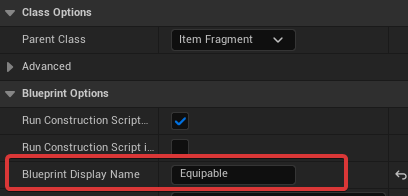
You can add a display names and icons to item fragments for better readability

Item Parameter
FIEItemParameter – Struct – Replicates – Inside a Descriptor or an Item
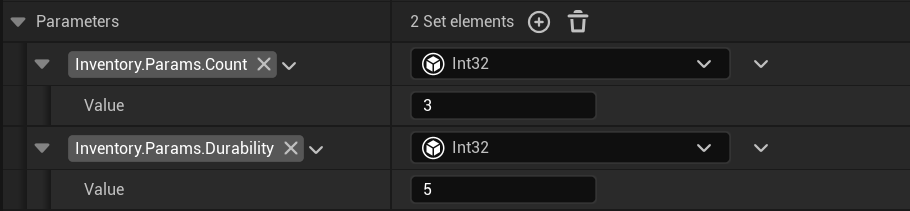
Parameters are runtime data bound to an item instance (FIEItem) and identified by a gameplay tag. This data is usually in the form of structs, or literals like integers, floats or bools.
Overrides
If a parameter is modified on an FIEItem, it overrides the default value in its UIEItemDescriptor.
Item
FIEItem – Struct – Replicates
When we work with items we usually refer to item instances as items (FIEItem).
Unlike other inventory systems, items are not uobjects:
- They can be read, written, copied or stored like any other struct. Without special functions to do so, or complex implications in their logic.
- Items are considerably cheaper, faster and lighter (in memory) than other systems based on objects. Not only because they are structs, but also because they rely on static uobjects and reduce the data they hold only to what needs changing in runtime. As a result you can have thousands, or tens of thousands of item instances simultaneously in the game without too much of a problem.
Inventory Component
UIEInventoryComponent – Actor Component – Replicates
A component that holds many items in order. Can have custom behavior. Inventories hold items through Inventory Slots.
Settings
The tooltips of the inventory have detailed tooltips that explain their purpose, but here are some:
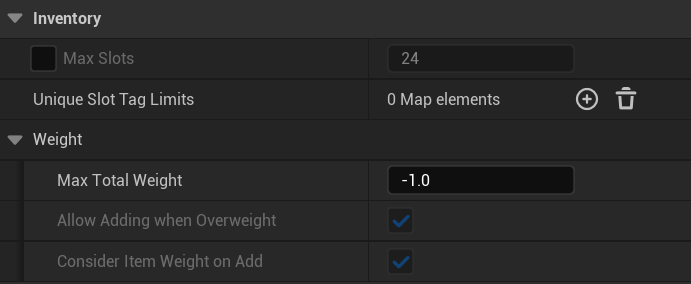
- Max Slots: Maximum number of simultaneous slots allowed
- Unique Slot Tag Limits: gameplay Tags that limit items allowed by their tags
- Max Total Weight: Total weight allowed considering the weight of all items in the inventory
Tip
Inventories themselves can be inherited from both in C++ and blueprints to create custom behavior.
Replication
- Clients are Read-Only. They receive synchronized updates via the
OnSlotsChangeddelegate. - All modifications (adding, removing, moving items) must be performed on the Server.
Requests to modify from clients can be sent using RPCs by overriding the Inventory or from the Actor.
- Component Replication: The replication of the component is tied to the replication of its owner actor (e.g., an inventory on a Controller will not be available on all clients).
Inventory Slot
UIEInventorySlot – UObject – Inside an Inventory
Represents occupied space inside an inventory. Usually contains an item, but may be empty.
Item List
UIEItemList – Data Asset
This asset represents an static list of items. Its use is usually focused towards looting, but not limited to it (hence why it is placed in the Inventory module).
2. Usage
Inventories
Adding Items
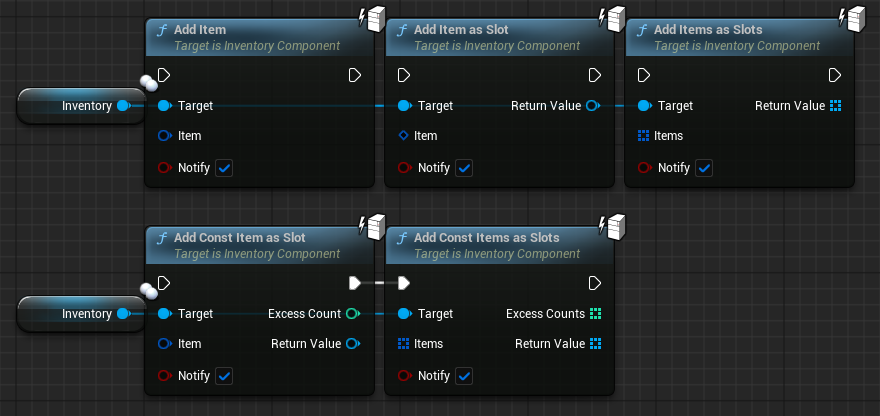
Adding Items to an inventory will try to find space for them in existing slots and place them there.
If there is not enough space for a certain Item, that is considered “Excess” and returned.
Blueprints
C++
| |
Items
Descriptors
Understanding the Editor
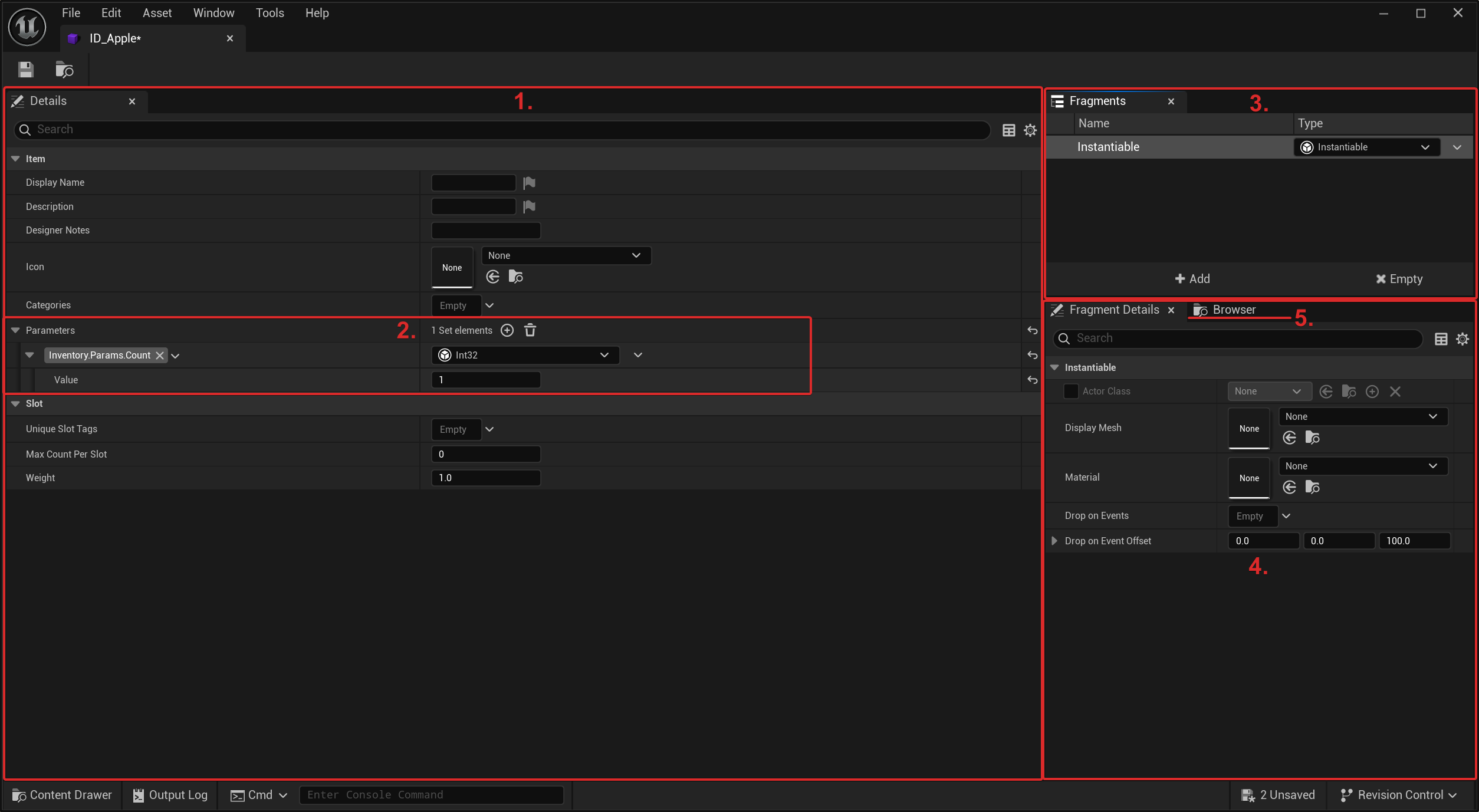
- Details: Contains all item properties like Display Name or Description, and can control some of its behavior.
- Parameters: Where you edit all default parameters of the item
- Fragment List: Shows all fragments in the item and allows removing them or adding new ones.
- Fragment Details: Where you edit all properties of the selected fragment
- Browser: Where you can quickly navigate across many Inventory related assets for convenience.
Creating items
Creating new items is simple. We create an Item Definition of it and assign fragments and parameters to our liking.
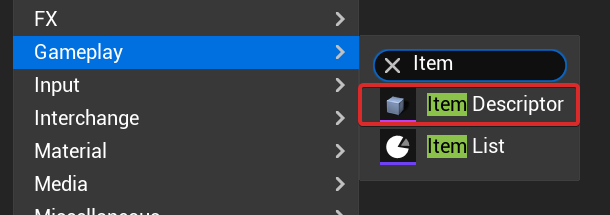
- Create an Item Descriptor in the Asset Browser
- Edit its properties like Name or Weight, and add fragments and parameters accordingly.
Fragments
Creating Fragment Types
To create custom behavior in items, and to reuse functionality across different items, we can create an Item Fragment.
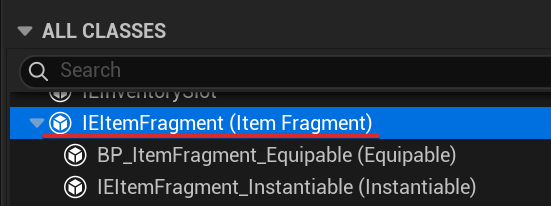
Fragments must inherit UIEItemFragment.
Blueprints
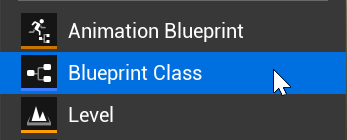
- Create a blueprint class inheriting Item Fragment
- Create variables to your liking and expose them to see them when adding the fragment to items.
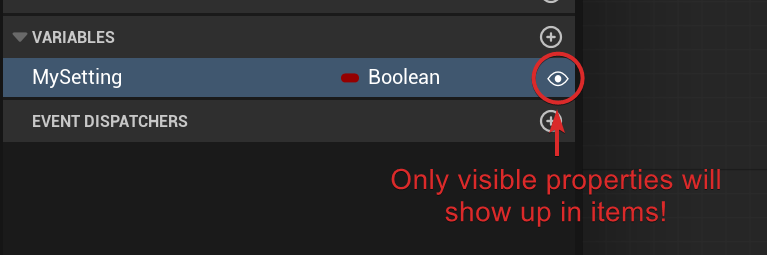
You can use variable categories too.
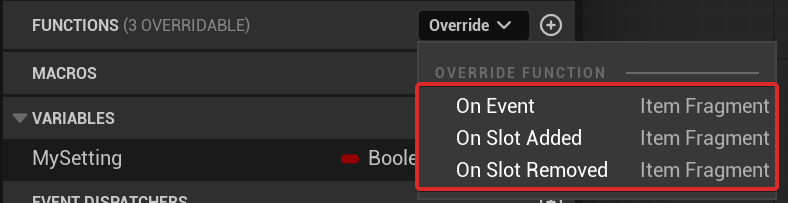
- Often fragments provide logic to items, we can override functions to do this.
C++
| |
Parameters
Creating Parameter Types
While some parameters can be simple literals like ints, floats or bools, others can be complex structs with many variables.
Here is how to define them:
Editor
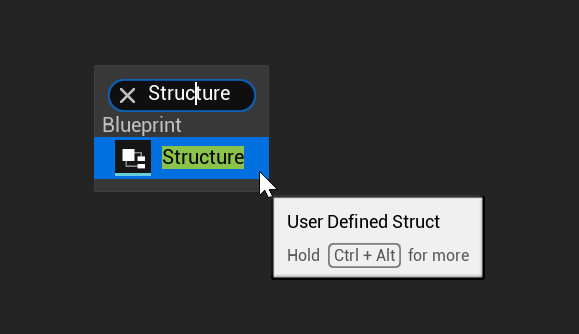
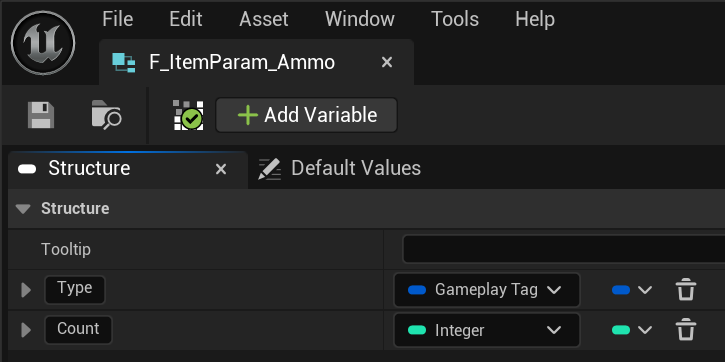
Item Parameters can be created in editor as User Defined Structs.
- From the content browser, create an User Defined Struct
- Add any fields you need to the struct
C++
Parameter types can be defined in C++. It is recommended (but optional) to inherit from FIEItemParameter.
| |
Tip
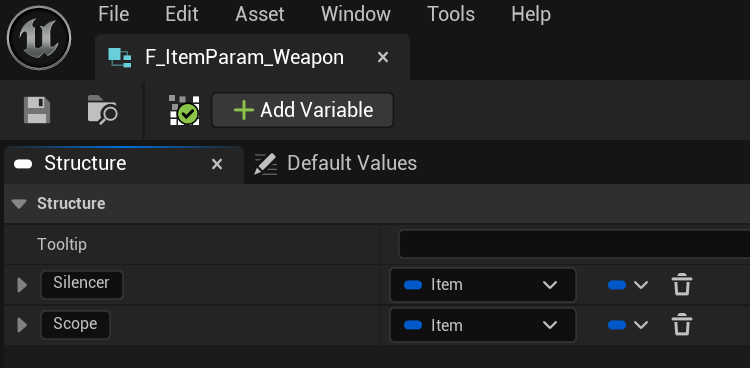
Items can be nested inside parameters, essentially being “contained” inside.Editor
C++
1
2
3
4
5
6
7
8
9
10
11
USTRUCT(BlueprintType, DisplayName = "Weapon")
struct FItemParam_Weapon : public FIEItemParameter
{
   GENERATED_BODY()

   UPROPERTY(SaveGame, EditAnywhere, BlueprintReadWrite, Category = Parameter)
   FIEItem Silencer;

   UPROPERTY(SaveGame, EditAnywhere, BlueprintReadWrite, Category = Parameter)
   FIEItem Scope;
};
Note
Binding tags to specific parameter types, making editing much faster, will be supported in the future
Assigning defaults
By default parameters we refer to parameters statically defined in the Item Descriptor.
They will not change in runtime.
You can simply open the item descriptor and edit them at your will.
Each parameter has a tag that identifies it and the data type. For example a parameter with tag Inventory.Param.Count expects an Integer parameter type.
Assigning overrides
When we want to add or modify a parameter in an instance of an item (FIEItem), we refer to it as overriding a parameter.
- If the item has a default parameter with the same tag: Overriding will hide the default value and when getting it we will return the new value instead.
- If the item doesn’t have a default parameter with the same tag: Overriding will set the value and return it when getting it.
Deleting overrides
When we delete an override, we simply do the opposite:
- If there is a default value: Getting the parameter will get the default value.
- If there is no default value: Getting the parameter will fail.
Dropping
Items can be dropped into the world if they contain an “Instantiable” fragment.
This fragment defines which actor class to use (though a default one from settings can be used). The actor class must implement InstantiatedItem interface.
Making an Instantiated Item Actor
This can be done in Blueprints and C++. The process is the same. For blueprints:
- Create an Item (
FIEItem) property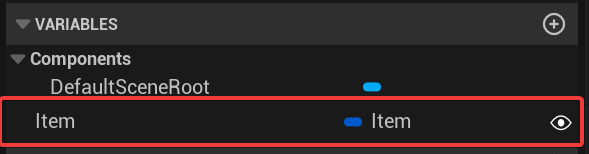
- Add the Instantiated Item interface
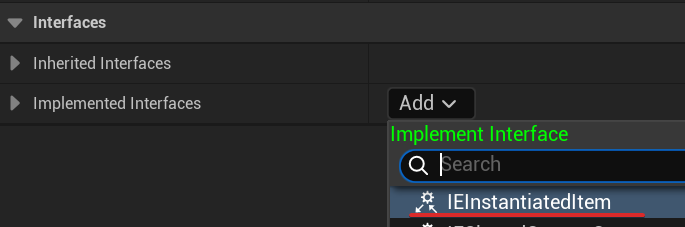
- Assign that item in SetItem and GetItem functions
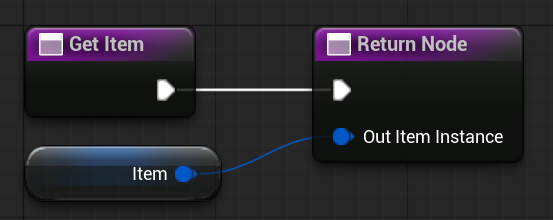
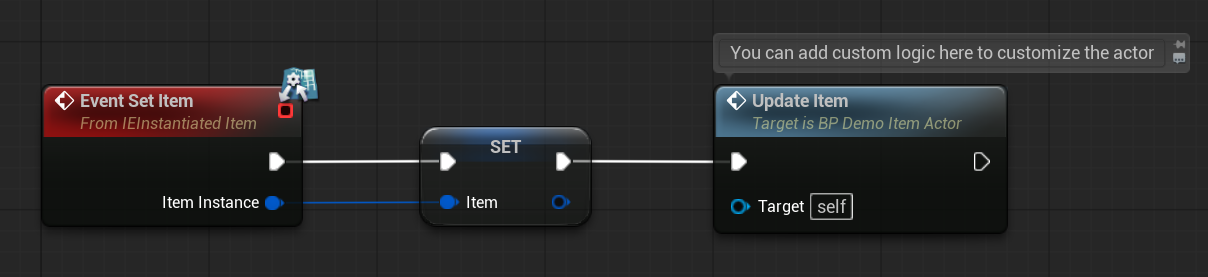
- Now, we can customize how the actor looks based on the item.
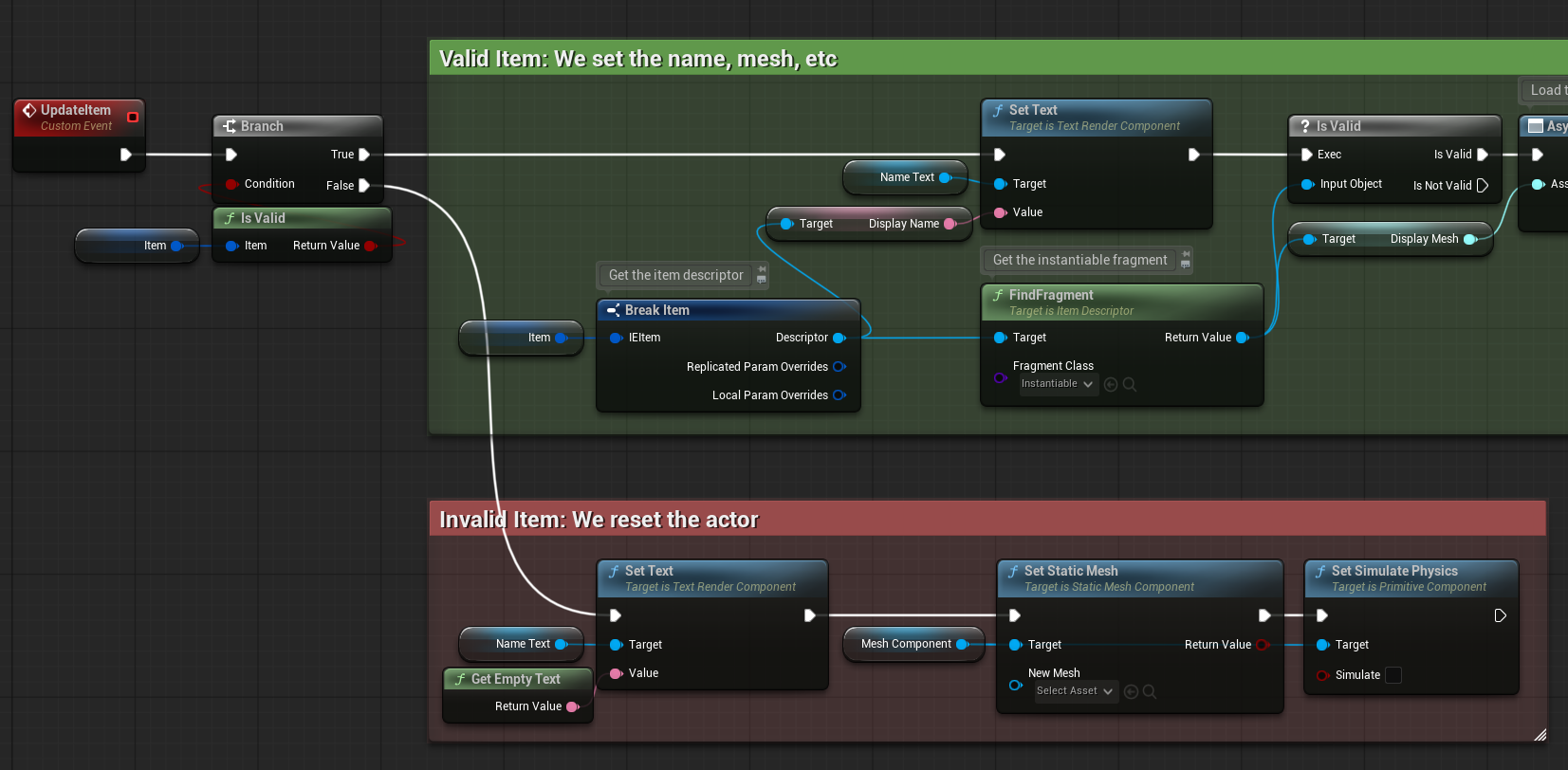
As an example: Lets read the name and mesh of an item and pass it to the relevant components. Keep in mind this is only a simple example, you can do much more than this.
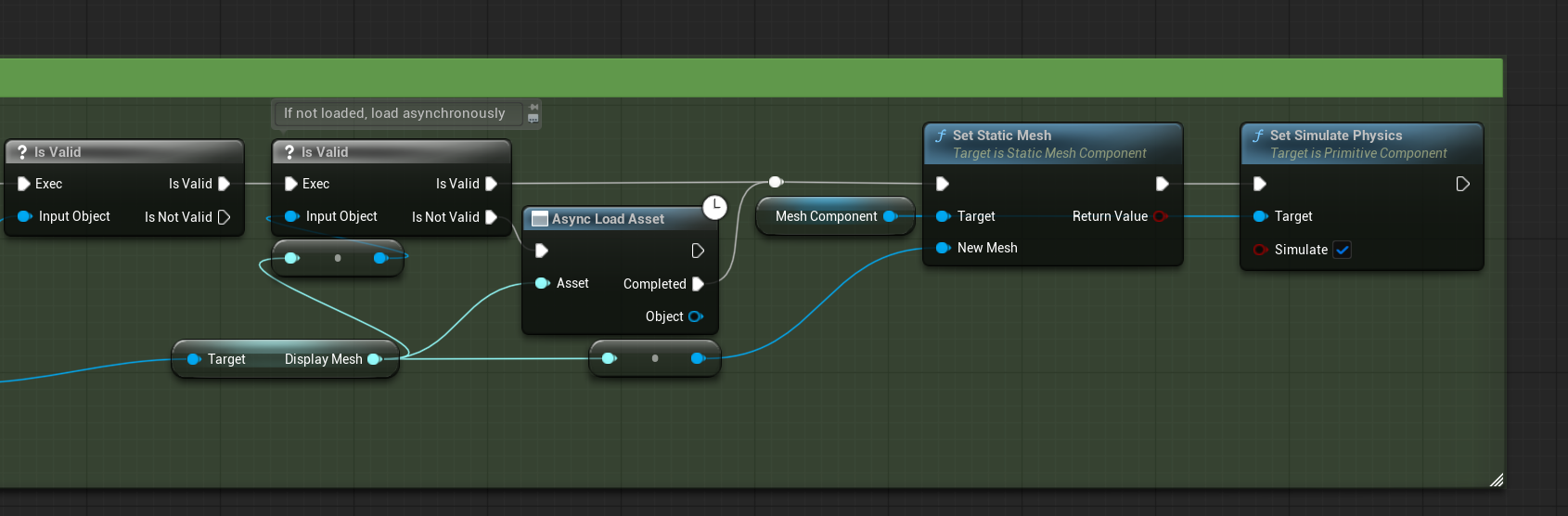
Tip
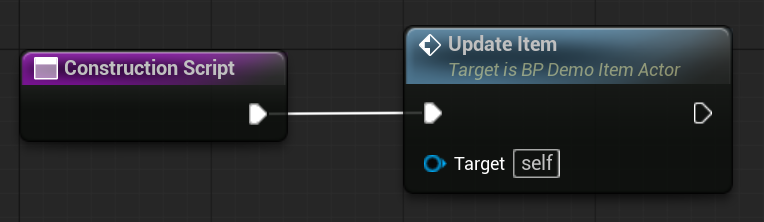
If you want to update the actor also when you modify it or add it to the scene, you can call this Update function from Construction
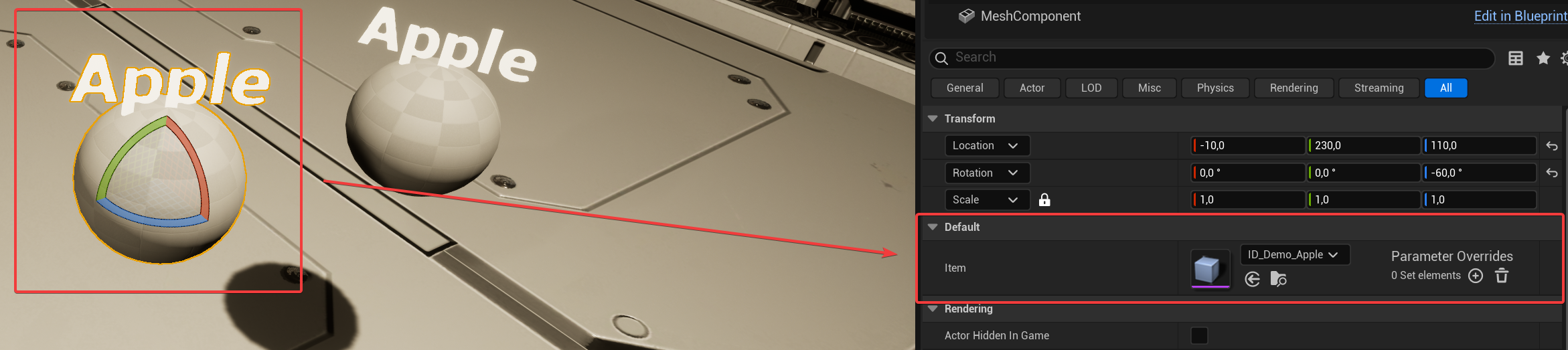
- We can add the actor to the scene now and see this working:
Tip
You can drag and drop instantiable items directly into the scene. If they are setup correctly as instantiable, their actor will be spawned.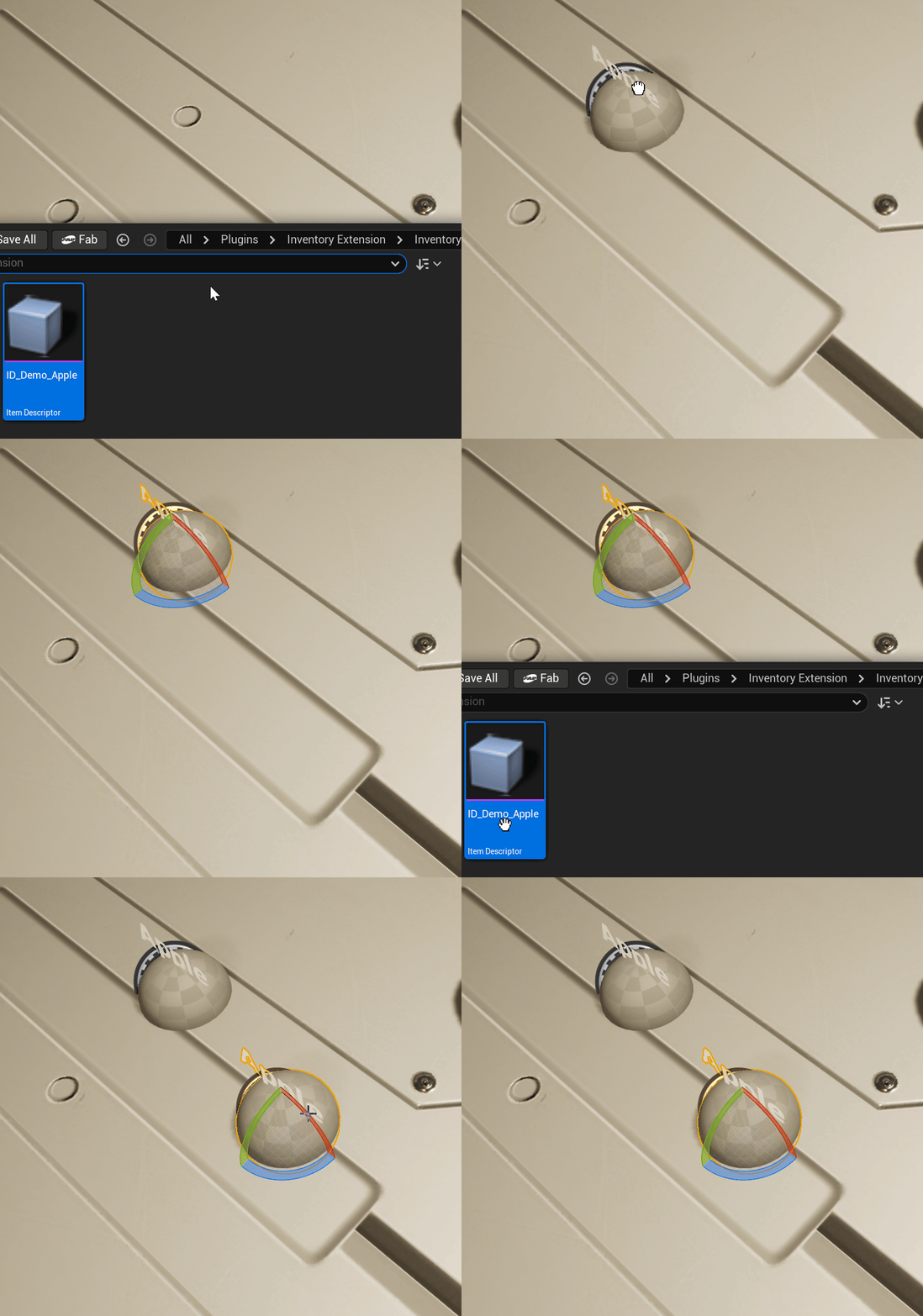
Dropping from an Inventory
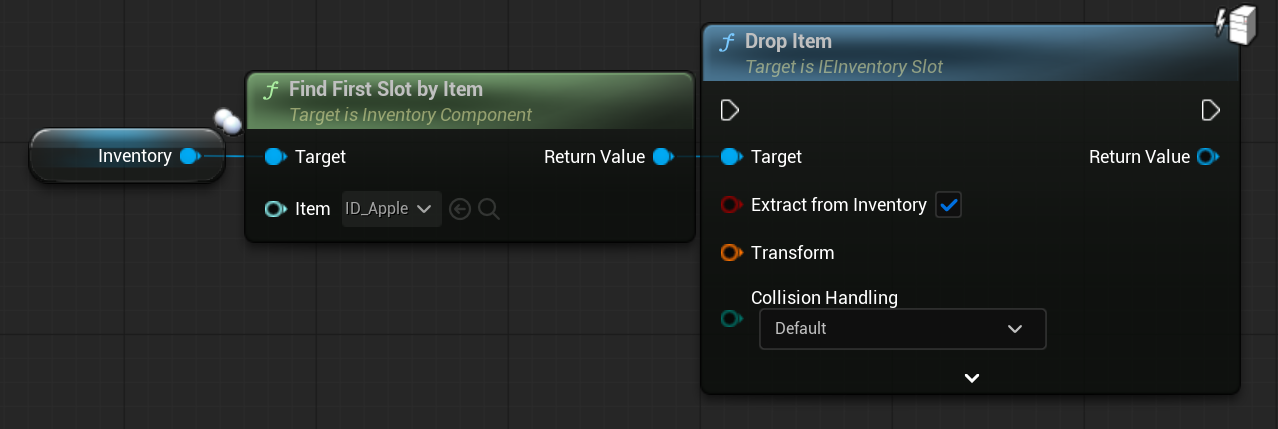
Items can be dropped from an inventory, optionally removing them from the inventory, and spawning an item actor as requested.
We use the inventory slot of the item for this.Blueprints
C++
| |
Dropping manually
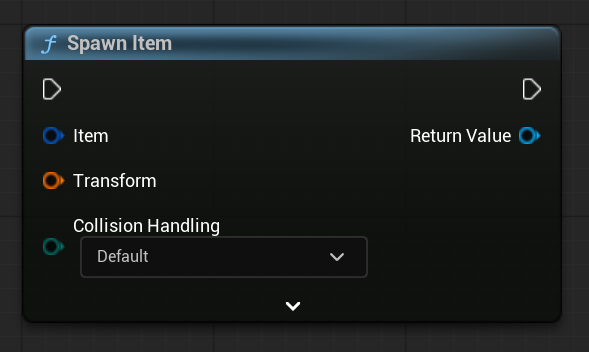
Items can also be spawned without an inventory, only spawning an item actor as requested, and not affecting the source item (so you can do with it what you wish).
Blueprints
C++
| |